 Control Tower
 Audit log
Enterprise: the audit log needs a Control Tower Enterprise license. Nothing is recorded without one.
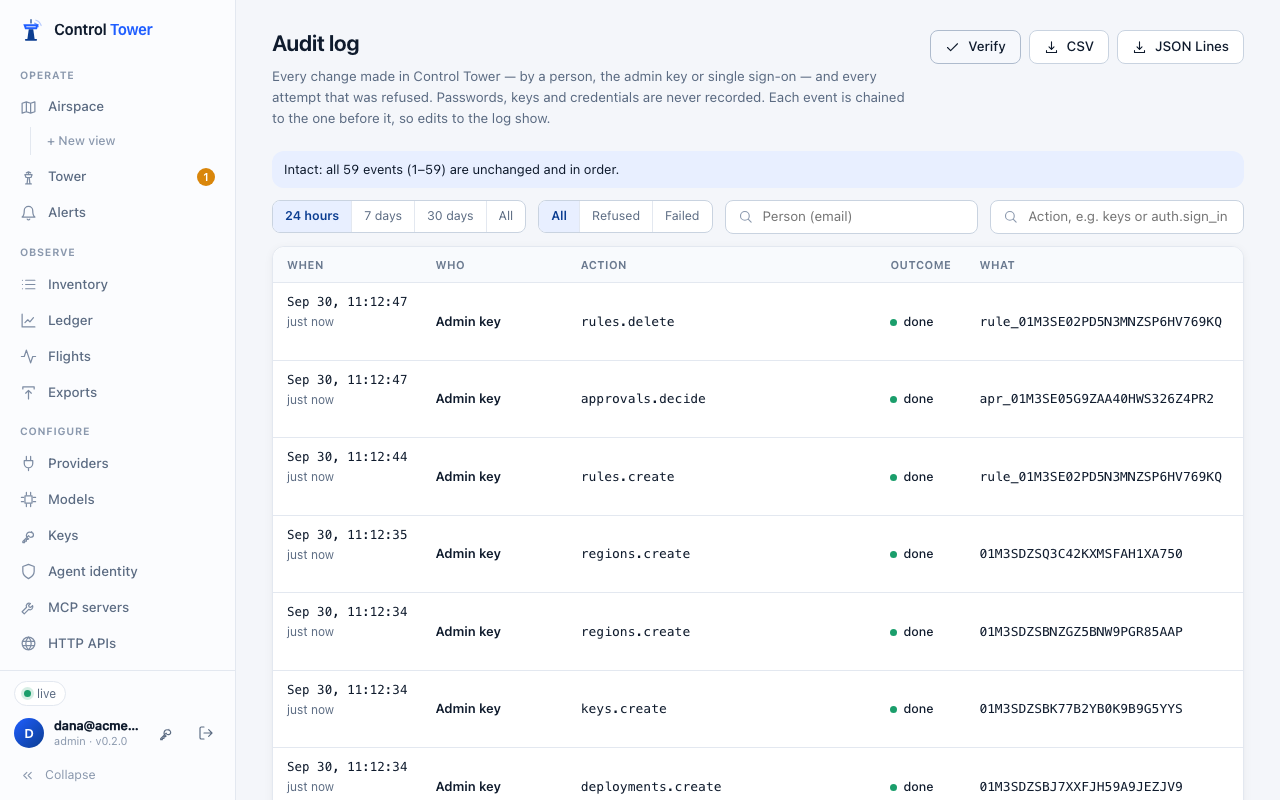
The audit log records every change made in Control Tower, and every attempt that was refused. It covers people in the console, scripts using the admin key, and single sign-on. Admins read it under Audit log.
What's recorded
| Event | When |
|---|---|
| Every change through the admin API | Creating, changing or deleting anything: providers, models, keys, gates, zones, approvals, people, alerts, exports, guardrails, imports. Also approving or denying a held call, whether in the Tower or after following a Slack or email link |
| Refused attempts | Someone not signed in, a viewer or approver trying something their role doesn't allow, a missing CSRF header, a person who hasn't yet replaced their one-time password. Refusals of people who aren't signed in are capped at 20 a minute per address, so a scanner can't flood the log |
| Sign-ins | Successful and failed, with password or single sign-on; sign-outs; rate-limited guessing (once a minute) |
| Setup and passwords | First-run setup (including wrong setup codes) and password changes |
Reading data isn't recorded: browsing Flights, the map or the Ledger adds nothing.
Each event says:
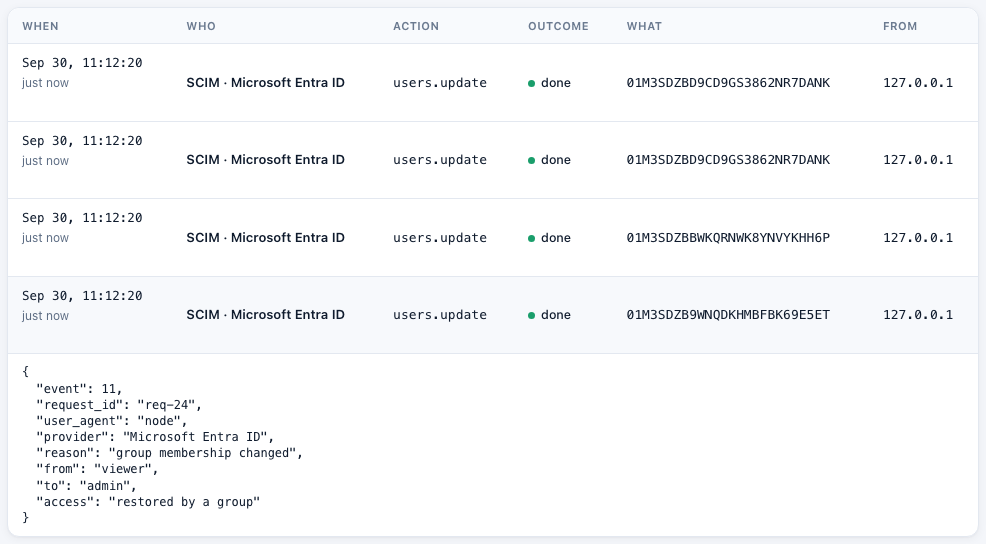
- who: a person (email and role), the admin key, or someone not signed in;
- what: an action such as
keys.create,rules.delete,approvals.decideorauth.sign_in, and the ID of what it touched; - the outcome: done, refused or failed, with the HTTP status;
- where from: address, browser and request ID;
- the request itself.
Secrets are never recorded. Fields such as passwords, API keys, tokens, credentials and webhook URLs are replaced with [redacted]. Credentials inside URLs, and anything that looks like a provider key, are removed from the rest. Answers aren't recorded either, so the key or one-time password a change returns never reaches the log.
Tamper evidence
Events are numbered in one sequence, even across several instances sharing a database. Each event stores the SHA-256 hash of its own contents and of the event before it. Verify (or GET /admin/api/audit/verify) walks the whole chain, and names the first event that was edited, removed or put out of order by someone with direct database access. The oldest event still kept is where checking starts, since older events leave with retention.
For evidence that survives someone with full database access, send the log to your SIEM or export it to storage they can't change. Your SIEM can check the chain itself.
Export
CSV and JSON Lines on the page (or GET /admin/api/audit/export?format=csv|jsonl&since=&until=) download the whole log for the chosen window, oldest first. CSV cells that a spreadsheet would treat as a formula are defused.
Send it to your SIEM
Any export destination can receive the audit log as it happens: Splunk, Datadog, OpenTelemetry (and through it Elastic, Sentinel and others), S3 or a webhook. Events arrive in order, with their chain hashes, and nothing is lost while the SIEM is down. See Audit log to your SIEM.
Retention
Events are kept for 365 days (CT_AUDIT_RETENTION_DAYS; 0 keeps them forever), separately from flights. The oldest go first, so what remains still verifies.
API
Admins only. Approvers and viewers get 403.
| Method | Path | |
|---|---|---|
| GET | /admin/api/audit | Newest first. Filters: since, until (milliseconds or ISO time), actor (email), action (prefix, e.g. keys or auth.sign_in), outcome (success, denied, failure), limit (up to 1000), before (the next value from the previous page) |
| GET | /admin/api/audit/export | format=jsonl (default) or csv, with since and until. Oldest first, as a download |
| GET | /admin/api/audit/verify | {ok, events, first_seq, last_seq}, plus broken_at and reason if the chain is broken |
An event:
{
  "seq": 42,
  "time": "2026-09-29T14:03:11.204Z",
  "actor": { "type": "person", "id": "01J…", "email": "dana@example.com", "role": "admin" },
  "action": "providers.create",
  "outcome": "success",
  "status": 201,
  "target": { "type": "providers", "id": "01J…" },
  "detail": { "method": "POST", "route": "/admin/api/providers", "body": { "name": "OpenAI", "credentials": "[redacted]" } },
  "ip": "10.0.4.17",
  "user_agent": "Mozilla/5.0 …",
  "request_id": "req-1a",
  "prev_hash": "9f2c…",
  "hash": "4b7e…"
}