 Control Tower
 Claude Desktop (GUI)
Claude Desktop can send its conversations through an inference gateway instead of straight to Anthropic. Pointed at Control Tower, every message is attributed to a key, counted in the Ledger, drawn on the Airspace and subject to your gates — and Control Tower's /mcp endpoint gives Claude Desktop the tools of your registered MCP servers as a connector.
Quick reference
| Setting | Value |
|---|---|
| Where | Developer → Configure Third-Party Inference… (after Help → Troubleshooting → Enable Developer Mode) |
| Inference provider | Gateway |
| Gateway base URL | http://<control-tower>:4000 — the bare origin, no /v1 |
| Gateway API key | ct_sk_… |
| Gateway auth scheme | bearer (x-api-key works too) |
| Models shown | The Claude models the key may use (names containing claude) |
| MCP connector | Streamable HTTP, http://<control-tower>:4000/mcp, header Authorization: Bearer ct_sk_… |
You need a Control Tower with a provider that serves Claude models (Anthropic, Bedrock or Vertex AI — see Models & providers).
Model setup
Step 1: Create a key for Claude Desktop
In the console, open Keys → Create key. Name it — claude-desktop, or one key per person such as claude-desktop-dana — set its Team, and click Create.
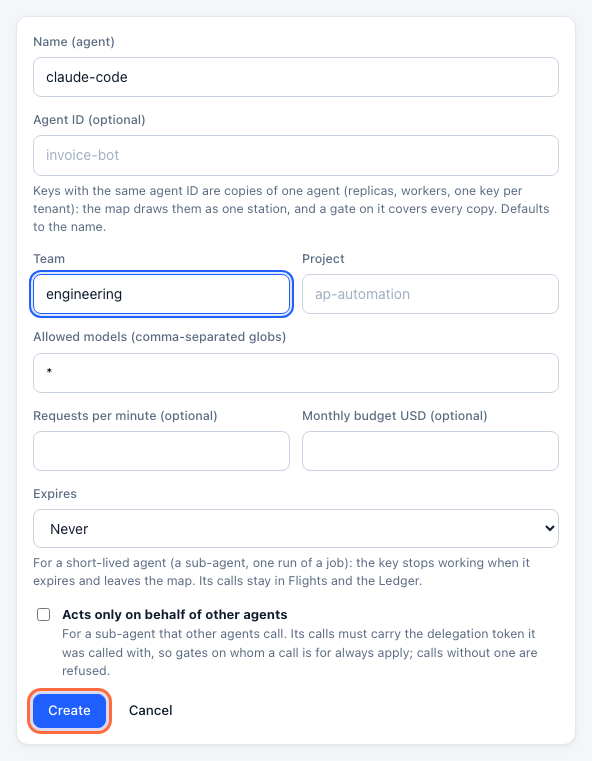
Limit it to Claude models and give it a budget if you like: set Allowed models to claude-* and a Monthly budget (Keys, budgets & rate limits).
Step 2: Copy the settings
Under the new key, open the Claude Desktop tab of the Connect panel. It lists every value the next steps ask for, with your address and key filled in.
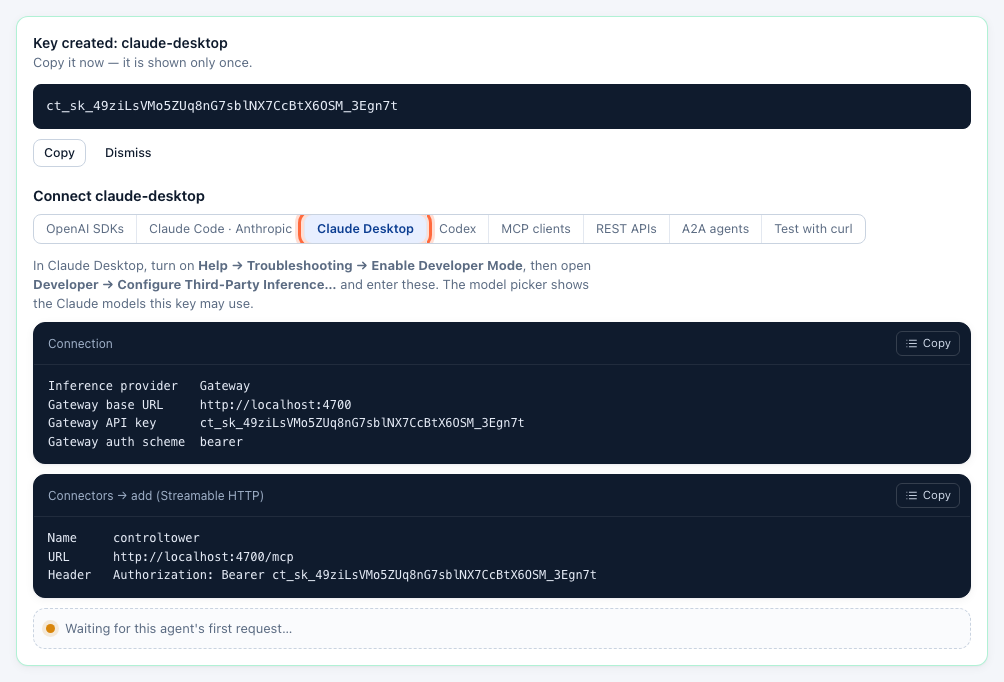
Step 3: Turn on Developer Mode
In Claude Desktop, choose Help → Troubleshooting → Enable Developer Mode. A Developer menu appears.
Step 4: Enter the gateway
Choose Developer → Configure Third-Party Inference… and fill in the Connection section:
| Field | Value |
|---|---|
| Inference provider | Gateway |
| Gateway base URL | http://localhost:4000 (your Control Tower's address) |
| Gateway API key | the key from step 1 |
| Gateway auth scheme | bearer |
Click Apply Changes and restart Claude Desktop.
Claude Desktop reads the model list from Control Tower (GET /v1/models) and shows the Claude models among them — the ones this key may use. Models that are added on first use appear once someone has used them; to have one listed from the start, add it under Models.
Step 5: Check it works
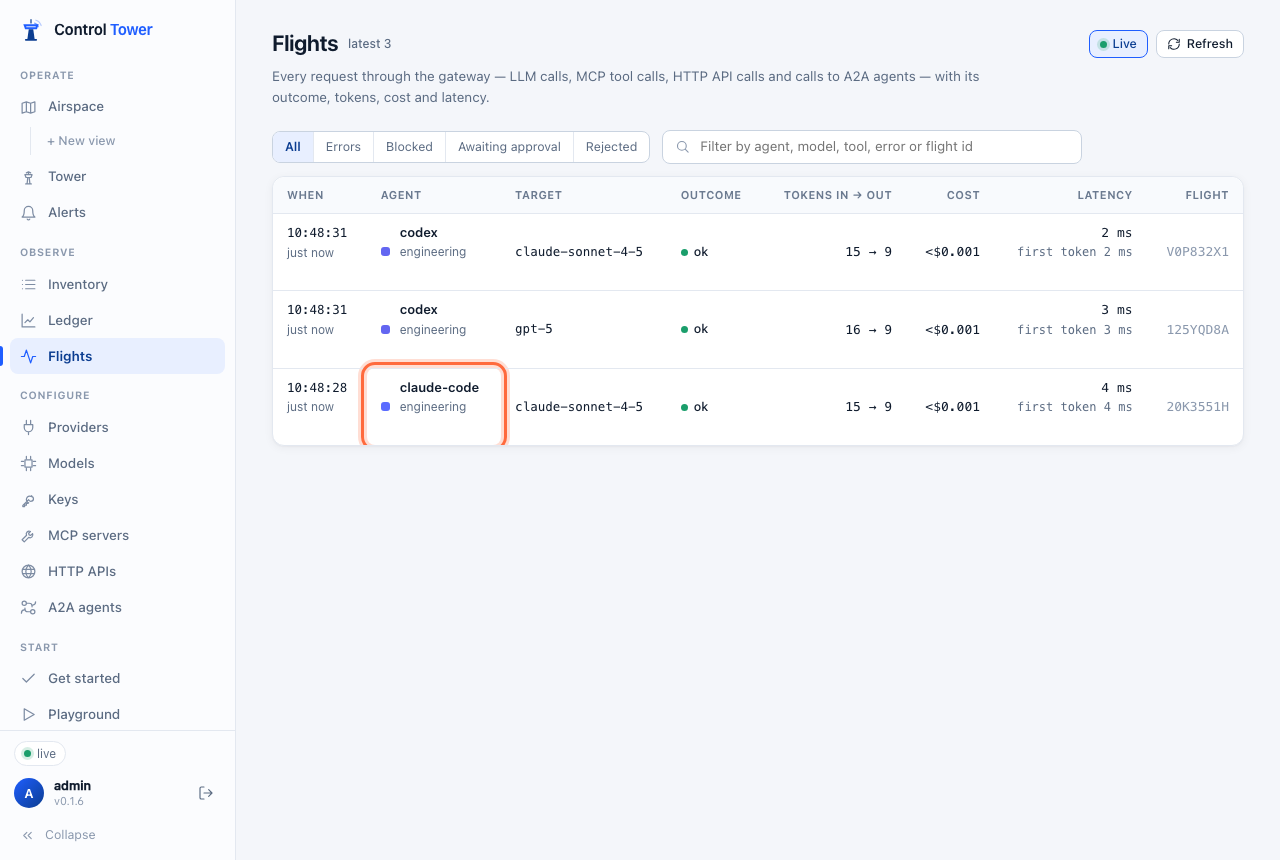
Pick a model and send a message. The key's Connect panel turns green on the first request, and the message is in Flights under the key's name:
MCP setup
Step 1: Add Control Tower as a connector
In Developer → Configure Third-Party Inference…, open Connectors and add one:
| Field | Value |
|---|---|
| Name | controltower |
| Transport | Streamable HTTP |
| URL | http://localhost:4000/mcp |
| Header | Authorization: Bearer ct_sk_… |
Use the same key as for the model, so tool calls and messages are one agent on the map.
Step 2: Test and apply
Test the connection: the tools listed are those of your registered MCP servers that this key may use, named <server>__<tool>. Apply, restart Claude Desktop, and the tools are available in conversations. To offer one tool server only, use its own endpoint, http://localhost:4000/mcp/<slug>.
Verify on the map
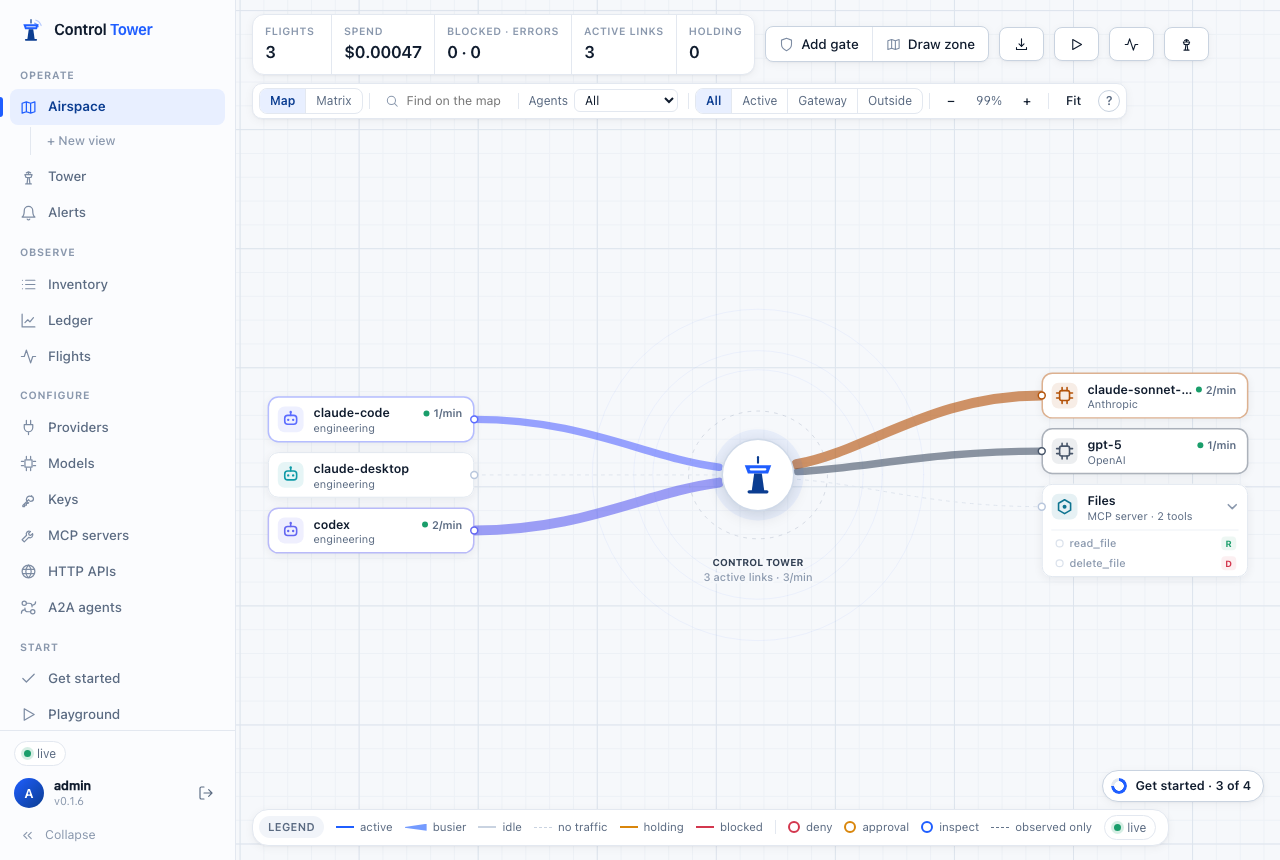
claude-desktop appears on the Airspace with a line to each model and tool server it uses. Drag from it to a destination to put a gate on that path.
Troubleshooting
| Symptom | Cause | Fix |
|---|---|---|
| The model list is empty | The key may not use any Claude model, or none has been used yet | Check the key's Allowed models; add the model under Models so it is listed from the start |
401 when applying | Wrong key, or the key is disabled | Copy the key again from the Connect panel (it is shown once — create a new one if lost) |
| Messages don't appear in Flights | Claude Desktop wasn't restarted, or the base URL points elsewhere | Restart it; the base URL is the bare origin, without /v1 |
| A connector shows no tools | The key may not use those tools | Check the key's allowed tools (allowed_mcp) |
More in Troubleshooting.
Next steps
- Keys, budgets & rate limits — a budget per person or per team
- Airspace, gates & approvals — approvals before sensitive tools run
- MCP gateway — the tool servers behind the connector